

HTML SitemapExplore
Find Things to DoFind The Best Restaurants

TSA Warns Travelers Against Charging Their Phones At The Airport—Here's Why

When the TSA line isn’t budging, you’re rushing to get to your gate, *and* you still need time to charge your phone at the airport, it can be easy to forget about other threats such as cybersecurity. But in an ever-evolving digital world, TSA warns travelers to be weary. If you have a few minutes to spare before boarding, most people likely try to juice up their phone’s battery. However, TSA’s IT team recently took to [social media](https://www.facebook.com/story.php?story_fbid=1165260505263651&id=100053391368777&_rdr) to urge passengers to avoid directly plugging their phone into an airport USB port. This is because hackers can “**juice/port jack**,” a cyber attack used to steal data by installing malware at USB ports. Unlike the travelers braving the travel trend of raw dogging a flight (no music, no movies, no sleep), we for one gladly prefer to have a fully charged phone in the air. So, what should you do if you really need some battery life before boarding? The agency recommends using a **power brick or battery pack** to plug your phone into. That being said, [portable chargers and power banks must be TSA-compliant](https://secretnyc.co/tsa-does-not-permit-this-common-travel-accessory-in-checked-bags/), with a capacity of 100 watt-hours (Wh) or less. Moreover, such devices will need to be stored in your carry-on bag. **Power banks and portable chargers are not permitted in checked bags**. There restrictions are in place because of the fire risk they pose. Therefore, just be sure to double check that your device follows all TSA rules and regulations. Other options include using a USB data blocker, specifically designed to stop any transfer of data. These can be purchased at your local electronic store or on Amazon. In addition to not plugging your phone directly into USB ports, **TSA advises against using public Wi-Fi** to protect your data against hackers. “Do not ever enter any sensitive info while using unsecure WiFi,” wrote the agency. This includes purchasing items online on public Wi-Fi. Data breaches can lead to identity theft, financial loss, and stress. Therefore, it’s important to be cautious and take preventative measures against cybersecurity threats. See more TSA travel tips for 2025 on the agency’s [website](https://www.tsa.gov/travel/travel-tips/2025). Source: [https://secretnyc.co/tsa-warns-travelers-against-charging-phones-at-the-airport-because-of-juice-jacking/](https://secretnyc.co/tsa-warns-travelers-against-charging-phones-at-the-airport-because-of-juice-jacking/)

Related posts
New York's Cool Hotel: Public Hotel (2)🌟3-Day Manhattan Essentials Travel Guide(1)This Hidden Amusement Park in Upstate NY Feels Like Summer in the 1950s—With Tilt‐A‐Whirls & Lakeside Cotton CandyNew York's Hardest-to-Book Restaurant Unlocked 🔓🇺🇸NYC | A Hidden Brunch Gem That Outshines the Hype 🥞✨🥮 Afternoon Tea + Mooncakes = Qing Mu's Mid-Autumn Romance!
NYC News
NYC News
6 months ago
NYC News
NYC News
6 months ago
no-comment

No one has commented yet...

TSA Warns Travelers Against Charging Their Phones At The Airport—Here's Why

When the TSA line isn’t budging, you’re rushing to get to your gate, *and* you still need time to charge your phone at the airport, it can be easy to forget about other threats such as cybersecurity. But in an ever-evolving digital world, TSA warns travelers to be weary. If you have a few minutes to spare before boarding, most people likely try to juice up their phone’s battery. However, TSA’s IT team recently took to social media to urge passengers to avoid directly plugging their phone into an airport USB port. This is because hackers can “juice/port jack ,” a cyber attack used to steal data by installing malware at USB ports. Unlike the travelers braving the travel trend of raw dogging a flight (no music, no movies, no sleep), we for one gladly prefer to have a fully charged phone in the air. So, what should you do if you really need some battery life before boarding? The agency recommends using a power brick or battery pack to plug your phone into. That being said, portable chargers and power banks must be TSA-compliant, with a capacity of 100 watt-hours (Wh) or less. Moreover, such devices will need to be stored in your carry-on bag. Power banks and portable chargers are not permitted in checked bags . There restrictions are in place because of the fire risk they pose. Therefore, just be sure to double check that your device follows all TSA rules and regulations. Other options include using a USB data blocker, specifically designed to stop any transfer of data. These can be purchased at your local electronic store or on Amazon. In addition to not plugging your phone directly into USB ports, TSA advises against using public Wi-Fi to protect your data against hackers. “Do not ever enter any sensitive info while using unsecure WiFi,” wrote the agency. This includes purchasing items online on public Wi-Fi. Data breaches can lead to identity theft, financial loss, and stress. Therefore, it’s important to be cautious and take preventative measures against cybersecurity threats. See more TSA travel tips for 2025 on the agency’s website. Source: https://secretnyc.co/tsa-warns-travelers-against-charging-phones-at-the-airport-because-of-juice-jacking/
New York
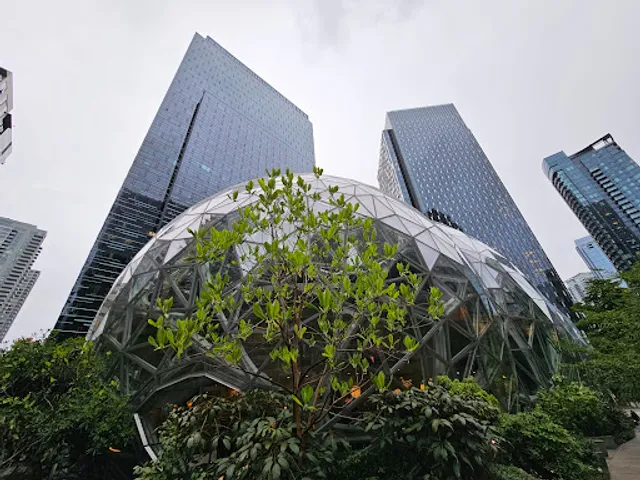
Amazon Corporate Headquarters
Amazon Corporate HeadquartersAmazon Corporate Headquarters